
7 Brew App (2026): Download, Rewards, Gift Cards & Complete User Guide
If you’ve ever pulled up to a 7 Brew drive-thru and wondered whether there’s a faster way to order, track rewards, or manage a gift card, the answer is yes — the 7 Brew app (officially “My 7 Brew”) handles all of it from your phone. This guide covers downloading and setup, earning and redeeming rewards, gift cards, troubleshooting, and how the app stacks up against Starbucks and Dutch Bros.
Quick Summary
- The 7 Brew app is free on both iPhone and Android.
- It’s the main hub for 7 Brew Rewards, gift cards, order-ahead, and store locations.
- Drinks earn 100 points each, and 1,000 points unlocks a free drink of any size, automatically added to your account.
- Points expire 12 months after your last order — a detail most guides leave out.
- You can join 7 Brew Rewards three ways: through the app, by giving your phone number at the drive-thru, or by signing up online at 7 Brew official website.
- 7 Brew moved to a new rewards platform in late 2025/early 2026. If your points or rewards look wrong, it’s likely a known display issue from that migration, not lost points (details below).
- Features and promotions can shift by location, so check the app itself for the most current details near you.
What Is the 7 Brew App?
The 7 Brew app — officially “My 7 Brew” — is the app for 7 Brew Coffee, the fast-growing drive-thru chain known for customizable coffee, energy drinks, and smoothies. It works as your account dashboard: rewards points, gift card balances, order history, and nearby locations all live in one place instead of being spread across old texts or a physical card.
Key Features at a Glance
- Rewards tracking and redemption
- Digital gift card storage and reloading
- Store locator with hours and directions
- Order-ahead and in-app payment at participating stands (availability varies by location — not every stand supports it yet)
- Apple Pay and Google Pay support for contactless checkout
- Push notifications for promotions and bonus-point events
How to Download the 7 Brew App
Downloading takes less than a minute on either platform.
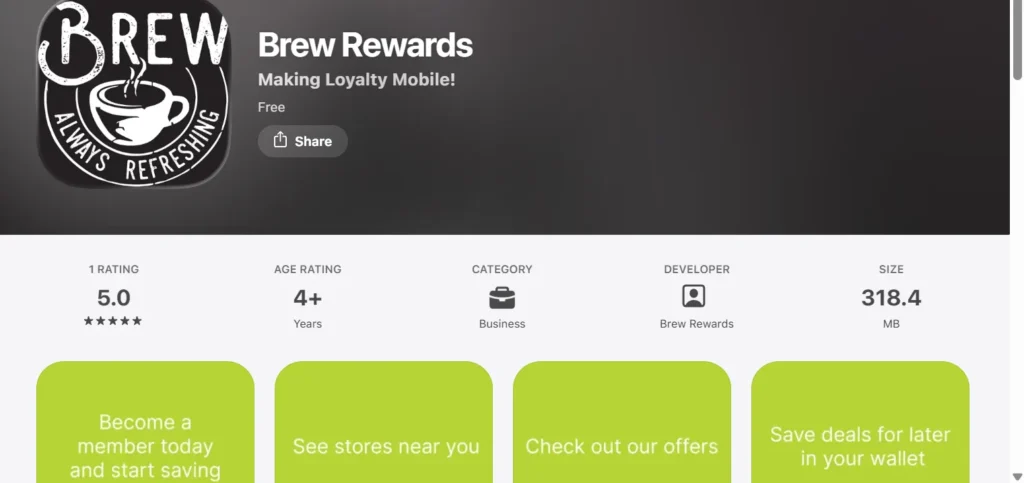
Download for iPhone (iOS)
- Open the Apple App Store.
- Search “7 Brew.”
- Tap Get, then confirm with Face ID, Touch ID, or your Apple ID password.
Note: It requires iOS 11 or later.
Download for Android
- Open the Google Play Store.
- Search “7 Brew.”
- Tap Install and wait for the download to finish.
Note: It requires Android 6.0 or later.
Create an Account
Once installed, open the app and tap Sign Up. Enter your phone number, verify with the SMS code you receive, and add basic details like your name and birthday. The process takes under two minutes, and you’re automatically enrolled in 7 Brew Rewards once your account is verified.
Prefer not to use the app right away? You can also enroll by giving your phone number to a Brewista at the drive-thru or by signing up online at 7brew.com/rewards. All three methods feed the same rewards account.
How to Use the 7 Brew App
Here we explain in detail about how to use the app of 7 brew. Here we cover all steps that helps you in using 7 brew app.
Sign In to Your Account
Open the app, tap Login, and enter your phone number. You’ll receive a one-time PIN by text — enter it to access your dashboard. Most accounts use SMS verification instead of a traditional password, so there’s typically nothing to reset if you forget it — just request a new code.
Find Nearby 7 Brew Locations
The built-in store locator uses your phone’s location to show the closest stands, along with hours and directions — useful for confirming whether order-ahead is supported at a specific location before you leave the house.
Access Your Rewards
Your points balance, current rewards, and any active offers appear on the home screen or a dedicated Rewards tab. This is the fastest way to check your balance — faster than asking at the window, since staff have to look it up manually by phone number.
Manage Your Profile
The Profile section is where you update your phone number, birthday, notification preferences, and saved payment methods. Keeping your birthday current here is what triggers your birthday reward each year.
7 Brew Rewards Program
Here is the complete detail about the 7 Brew Rewards program that helps you understand the rewards program.
How to Earn Points
Every qualifying drink purchase earns 100 points, regardless of size. Points post automatically as long as you’re signed in on the app or give your phone number at checkout.
How to Redeem Rewards
Once you hit 1,000 points, a free drink of any size is automatically added to your account, ready to use whenever you like. Show your app or give your phone number at the register, and staff will apply it to your order. Rewards don’t have to be used immediately — they sit in your account until you’re ready, though separate promotional offers may carry their own expiration dates.
Do Points Expire?
Yes — your points expire 12 months after your last order. As long as you keep visiting and earning, your balance stays active. This is one of the most commonly searched questions about the program and one most competing guides don’t answer.
The 2025–2026 Rewards Platform Migration
7 Brew moved to a new rewards platform starting in late 2025. If you’re a returning member, here’s what to know:
- Points and rewards from the old system were carried over automatically — you don’t need to do anything beyond signing up on the new platform.
- Transfers can take up to 48 hours to appear after you enroll.
- Some accounts briefly showed incorrect point balances or missing rewards during the transition — 7 Brew has confirmed this is a display issue only; underlying points and rewards were not lost.
- If it’s been more than 5 days since you joined the new platform and your balance still looks wrong, contact 7 Brew support through the contact form at 7brew.com/support.
- Legacy points stopped transferring automatically after 12/27/2025, so if you haven’t re-enrolled since then, do it now to avoid losing access to old balances.
Birthday Rewards at 7 brew
Adding your birthday during sign-up unlocks a birthday reward, typically a free drink during your birthday month. Some locations may ask for ID to confirm the date, so it’s worth having one handy.
Exclusive Member Offers
App users occasionally get early access to seasonal drinks, bonus-point events, or limited-time promotions not advertised in-store. Recurring bonus events (like the former “Double Points Tuesday” promotion) come and go, so don’t assume a past promo is still running — turning on notifications is the easiest way to catch current offers before they expire.
7 Brew Gift Cards
Are you intrested to know about 7 Brew gift card details? Here we explain below:
Add a Gift Card to the App
Physical gift cards can typically be added by entering the card number and PIN found on the back. Digital gift cards purchased in-app are added automatically.
Check Your Gift Card Balance
Once added, your balance appears alongside your rewards information, so you don’t need a separate receipt or phone call to track how much is left.
Reload a Gift Card
Most gift cards can be reloaded directly in the app using a saved payment method — faster than reloading at the register.
Send a Digital Gift Card
The app typically lets you purchase and send a digital gift card to another phone number or email, making it a quick last-minute gift option.
Common App Problems & Solutions
App not loading: Close and fully restart the app, confirm you have a stable internet connection, and check that you’re on the latest version from the App Store or Google Play.
Login issues: Double-check you’re entering the same phone number used at sign-up. If the SMS code isn’t arriving, check for carrier delays or a blocked-messages setting before requesting a new one.
Rewards not showing: Points can take time to sync after a purchase, especially during busy periods. If you recently re-enrolled after the 2025–2026 platform migration, allow up to 48 hours. If a reward still isn’t showing after that, contact 7 Brew support with your order details.
App crashing or freezing: Update to the latest app version, restart your phone, and if the issue persists, uninstall and reinstall the app — this resolves most persistent crashes.
7 Brew App vs. Other Coffee Apps
| Feature | 7 Brew App | Starbucks App | Dutch Bros App |
| Order ahead | Yes, at participating locations | Yes, widely available | Yes, at participating locations |
| Rewards structure | Flat 100 points per drink | Stars per dollar spent | Points-based loyalty program |
| Points expiration | 12 months after last order | Stars expire after 12 months of inactivity | Varies by promotion |
| Gift cards | Yes | Yes | Yes |
| Birthday reward | Yes | Yes | Yes |
| Web account login | No — app or in-store only | Yes | Yes |
7 Brew app vs. Starbucks App
Starbucks has a longer-established, more feature-heavy app with deeper personalization, reflecting its much larger footprint. 7 Brew’s app is simpler by comparison, which fits a newer, faster-growing drive-thru-only chain still expanding its digital tools — and its flat 100-points-per-drink structure is easier to predict than a dollar-based Stars system.
7 Brew app vs. Dutch Bros App
Both are drive-thru-focused chains with similar point-based rewards structures. The better fit usually comes down to which chain has more locations near you, since neither app offers a dramatically different core experience.
Tips to Get the Most Out of the 7 Brew App
- Scan every purchase. Always provide your phone number or open your account at checkout — missed purchases generally can’t be added retroactively.
- Turn on notifications. This is the simplest way to catch bonus-point events and limited-time offers before they expire.
- Combine rewards with gift cards. Pay with a stored gift card while still providing your rewards phone number to earn points and use your balance in the same transaction.
- Re-enroll if you’re a returning member. If you had points before the 2025–2026 platform switch, make sure you’ve signed up on the new system so nothing is left behind.
- Don’t assume a past promotion is still active. Check the app regularly rather than relying on last month’s offer.
Frequently Asked Questions (FAQs)
Final thoughts
The 7 Brew app turns a quick coffee run into something a little more rewarding, whether that means skipping the line with order-ahead, tracking points toward a free drink, or keeping a gift card balance handy. If you haven’t downloaded it yet, search “7 Brew” in the App Store or Google Play, sign up with your phone number, and start earning on your next visit.
About the Author
Rana Sarmad is a food menu researcher and SEO content writer who specializes in creating accurate, up-to-date restaurant menu guides, nutrition facts, prices, and location information. He researches official sources to provide reliable content on popular brands like 7 Brew, helping readers find the latest menu updates, calories, rewards programs, and restaurant guides. His goal is to publish clear, trustworthy, and easy-to-follow content that helps users make informed dining decisions.